
Introduction
Accurate Meta Pixel Conversion API Setup GTM is essential for modern lead generation as browser restrictions and ad blockers limit traditional tracking. Many advertisers relying only on the Meta Pixel face data loss, poor attribution, and unreliable optimization.
As a Stape Certified Partner, I’ve implemented Facebook Pixel and Conversion API Setup for multiple businesses and agencies — and this guide shows you how to set it up correctly. Tools like Stape connect your website, server container, and Meta Ads to ensure reliable data flow, while server-side tracking improves accuracy and control.
To solve this, businesses combine browser and server-side tracking using GTM and Stape. This hybrid setup ensures accurate event tracking, better data matching, and proper deduplication using Event ID.
👉Google Tag Manager enables scalable tracking across web and server environments.
Explore Google Ads server-side tracking with GTM & Stape (Complete Setup Guide 2026) and Full Funnel Tracking for Lead Generation using GTM & Server-Side Tracking strategies for better performance and ROI. In this guide, you’ll learn step by step how to implement Meta Pixel Conversion API Setup GTM, track lead events accurately, and improve Meta Ads performance with reliable data.
🎥 Watch Now
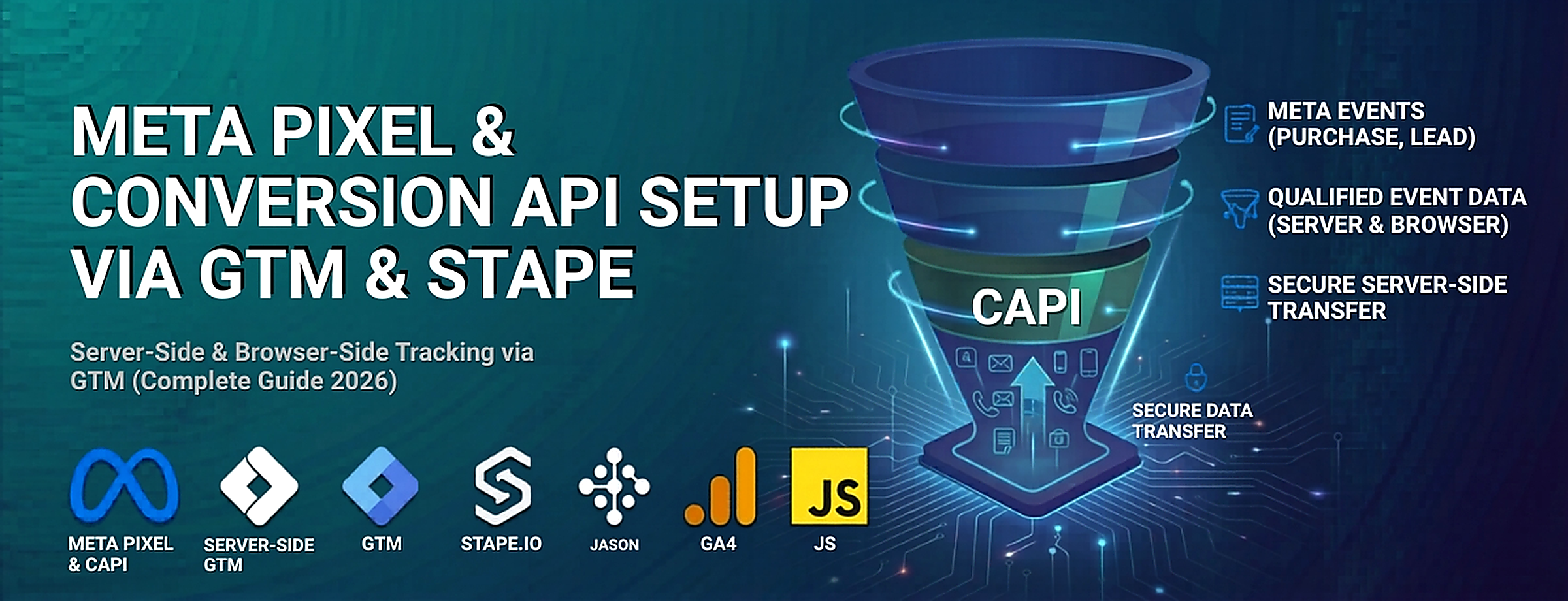
Figure: Meta Pixel & Conversion API Setup (Lead Event Tracking Flow)
Struggling to set up Meta Pixel and Conversion API correctly?
Get a complete server-side tracking setup using GTM & Stape to capture accurate lead data and improve Meta Ads performance.
👉 WhatsApp: https://wa.me/8801735749155
👉 Book a Call: https://zcal.co/zubayerislam01/consultation
What Is Meta Pixel Conversion API Setup GTM?
Meta Pixel Conversion API Setup GTM is a hybrid tracking system that combines browser-based Meta Pixel tracking with server-side data transmission via Conversion API. This setup allows you to track user actions such as lead form submissions and send them directly to Meta, ensuring more accurate and reliable tracking.
Why Is It Important?
Without proper tracking, Meta Ads optimization becomes unreliable. However, combining Pixel and Conversion API solves this problem.
• Ensures accurate lead event tracking
• Improves data matching using user identifiers
• Prevents data loss from browser restrictions
• Enables server side tracking meta ads gtm stape
• Improves campaign optimization and ROI
For advanced attribution, read Google Ads Offline Conversion Tracking with CRM.
Quick Answer
Meta Pixel Conversion API Setup GTM combines browser and server-side tracking to capture lead events and send accurate data to Meta Ads. As a result, it improves data reliability, reduces tracking loss, and enhances campaign optimization. In addition, using Event ID for deduplication ensures no duplicate events, leading to more accurate attribution and better performance insights.
Key Takeaways
- Combining Meta Pixel and Conversion API ensures accurate lead tracking by sending events from both the browser and server simultaneously, reducing data loss from ad blockers and browser restrictions.
- Google Tag Manager provides a flexible and scalable way to implement both browser-side pixel tags and server-side Conversion API tags without modifying your website code.
- Stape.io simplifies GTM server container hosting with a custom domain setup, removing the need for DevOps or technical server management.
- Using Event ID for deduplication ensures that Meta receives each conversion event only once — preventing inflated reporting when both browser and server events fire for the same user action.
Tools Used in This Setup
- Meta Pixel
- Conversion API
- Google Tag Manager (Web + Server)
- Google Analytics 4
- Data Layer Events
- Custom JavaScript Listener
- stape.io
How the System Works (Simple Flow)
- First, a user visits your website.
- Then, the Meta Pixel tracks browser events.
- Meanwhile, GTM sends event data to the server container.
- After that, the Conversion API sends server-side events to Meta.
- In addition, Event ID ensures deduplication between Pixel and CAPI.
- Finally, Meta receives accurate conversion data for optimization.
Why It Matters
If you rely only on browser-based tracking, your data will be incomplete and unreliable. However, implementing Meta Pixel Conversion API Setup GTM ensures accurate data collection even when browser restrictions block traditional tracking. As a result, Meta Ads receives stronger signals, improves event matching, and optimizes campaigns based on real user actions. In addition, combining Pixel and Conversion API reduces data loss, enhances attribution accuracy, and directly improves lead quality and ROI.
Prerequisites
✔ Stape.io account (Server-Side environment ready)
✔ Google Tag Manager (Web + Server containers)
✔ Meta Pixel ID, CAPI Token, and Test ID
✔ Listener code for capturing form submissions
✔ GA4 Client active in Server Container
Figure 1: Stape.io account Creation

Step-by-Step Implementation
Step 1: GTM Web Container Configuration (Browser Side)
Your GTM Web Container manages browser tracking and sends identifiers to the Server container.
A. Create Required Variables
Constant Variable: Meta Pixel ID (store your Pixel ID)
Unique Event ID: From Template Gallery (used for deduplication)
First-Party Cookies:
FBP → Cookie name _fbp (Browser ID)
ABC → Cookie name _fbc (Click ID)
Figure 2: Meta Pixel GTM variables setup with event ID fbp fbc cookies

B. Configure Meta Pixel Tags
Use the Facebook Pixel Template (by Meta):
MetaPixel Config (PageView):
Event Type: PageView
Trigger: All Pages
Add Variables: Event ID, FBP, ABC
MetaPixel Lead:
Event Type: Lead
Trigger: Custom Event (Form Submission)
Add Variables: Event ID, FBP, ABC
Figure 3: Facebook pixel GTM setup pageview and lead event configuration

C. Send Deduplication parameter to Server
Edit your GA4 Client Tag to include key identifiers:
Add Event ID, FBP, and ABC parameters to both PageView and Lead events.

Step 2: GTM Server Container Configuration (Server-Side Tracking)
The Server GTM Container handles your Meta Conversion API setup and sends deduplicated data to Meta.
A. Create Server Variables
Event Data Variables:
FBP → Key Path: fbp
ABC → Key Path: fbc
Event ID → Key Path: event_id
Constant Variables:
Meta Pixel ID
Meta Token (CAPI Access Token)
Meta Test ID
Figure 5: GTM server container variables setup for meta conversion api fbp fbc event id

B. Configure Conversion API Tags
Use Facebook Conversion API Tag (by Stape.io):
Meta CAPI Config (PageView):
Event Type: PageView
Trigger: All Pages
Variables: Pixel ID, Token, Test ID, Event ID, FBP, ABC
Meta CAPI Lead:
Event Type: Lead
Trigger: Custom Event (Lead)
Use the same variables and credentials.
Figure 6: Meta conversion api tag setup in GTM server container using stape

Step 3: Testing & Deduplication Verification
Testing ensures both Pixel and CAPI events are firing correctly.
1️⃣ Start Preview Mode in both Web and Server GTM containers.
2️⃣ Open Meta Event Manager → Test Events tab.
3️⃣ Test PageView:
Load your website.
Confirm both Browser & Server events appear.
Check Event IDs → must match.
4️⃣ Test Lead Event:
Submit your form.
Ensure Event IDs for both sources match perfectly.
➡️ Meta Conversion API documentation explains server-side tracking reliability.

Testing
Open GTM Preview Mode and Meta Event Manager.
✔ Confirm both browser and server events fire
✔ Ensure Event IDs match
✔ Validate lead event tracking accuracy
Final Publish Step
Publish both Web and Server GTM containers.
✔ Your Meta Pixel and Conversion API tracking is now active.
✔ Conversions will appear inside Meta Ads reporting dashboard.
Comparison: Pixel vs Pixel + Conversion API
| Feature | Pixel Only | Pixel + CAPI |
| Data Accuracy | ❌ Low | ✅ High |
| Ad Block Resistance | ❌ No | ✅ Yes |
| Deduplication | ❌ No | ✅ Yes |
| Server Tracking | ❌ No | ✅ Yes |
| Optimization | ❌Weak | ✅ Strong |
Tracking Overview
This setup combines browser tracking (Meta Pixel) and server-side tracking (Conversion API) using GTM and Stape. First, the Pixel captures user interactions in the browser, while the server container sends the same events directly to Meta. Then, Event ID ensures proper deduplication between both sources. As a result, you get complete, accurate, and reliable tracking data. This system is especially effective for lead tracking, attribution modeling, and scaling Meta Ads campaigns.
Real Use Case
A lead generation agency implemented Meta Pixel + CAPI setup:
• Conversion tracking accuracy improved
• Cost per lead reduced
• Better attribution visibility
• Improved campaign scaling
For deeper tracking, read Unbounce Google Ads Conversion Tracking Guide.
Common Mistakes
- Not using Event ID for deduplication
- Incorrect server container setup
- Missing FBP/FBC parameters
- Not testing events properly
- Misconfigured triggers
Pro Tips
- Always use Event ID for deduplication
- Use both browser and server tracking
- Monitor events in Meta Event Manager
- Use Stape for simplified server hosting
- Implement full funnel tracking system
Frequently Asked Question
How to set up Meta Pixel Conversion API using GTM?
Create both a Web container and a Server container in GTM. In the Web container, configure Meta Pixel tags for PageView and Lead events, adding Event ID, FBP and FBC parameters. Then configure a GA4 client tag to forward these parameters to your Server container. In the Server container, create Meta CAPI tags using the Stape Facebook Conversion API template, using the same Event ID for deduplication.
What is the benefit of using Conversion API with Meta Pixel?
Combining browser and server tracking ensures Meta receives conversion data even when ad blockers or browser restrictions prevent the pixel from firing. It improves Event Match Quality score, strengthens attribution accuracy, and gives Meta Ads stronger signals for campaign optimization — resulting in lower cost per lead and better audience targeting.
Why is Meta Pixel Conversion API not working?
The most common causes are incorrect trigger setup in GTM, missing or mismatched Event IDs between browser and server events, wrong CAPI Access Token, or an incorrectly configured GA4 client in the server container. Always test in GTM Preview Mode for both Web and Server containers simultaneously and verify events in Meta Events Manager Test Events tab.
Can I track leads without a thank you page?
Yes. By using a custom JavaScript listener in GTM you can detect form submissions directly on the landing page without a separate thank-you page redirect. The listener pushes a custom event into the GTM Data Layer which then triggers both the Meta Pixel Lead tag and the server-side CAPI Lead tag.
How to verify Meta Pixel and Conversion API events?
Open GTM Preview Mode for both your Web and Server containers simultaneously. Submit a test form on your website and check that the Lead event fires in both containers. Then go to Meta Events Manager and open the Test Events tab. Confirm that both browser and server Lead events appear with matching Event IDs; this confirms deduplication is working correctly.
Is Stape required for Conversion API setup?
Stape is not required, but it is the recommended solution for most businesses. It hosts your GTM server container on a custom domain, handles all server infrastructure automatically, and provides a simple dashboard for monitoring. Without Stape, you would need to self-host a server container on Google Cloud or another cloud provider, which requires DevOps knowledge.
Conclusion
Implementing Meta Pixel Conversion API Setup GTM allows you to track lead events accurately, improve attribution, and optimize Meta Ads performance with confidence. As a result, businesses can reduce data loss, increase conversion accuracy, and make better data-driven decisions. If you want to scale campaigns efficiently and maintain reliable tracking in a privacy-first environment, this hybrid tracking setup is essential.
Ready to implement Meta Pixel & Conversion API tracking?
Start your setup today to capture accurate data and improve Meta Ads performance.
👉 WhatsApp: https://wa.me/8801735749155
👉 Book a Call: https://zcal.co/zubayerislam01/consultation